
Updated September 21, 2026. Product listings, prices, availability and compatibility details can change. Verify the current seller listing before ordering.
Affiliate disclosure: RoadKitLab may earn a commission if you purchase through links on this page, at no extra cost to you.
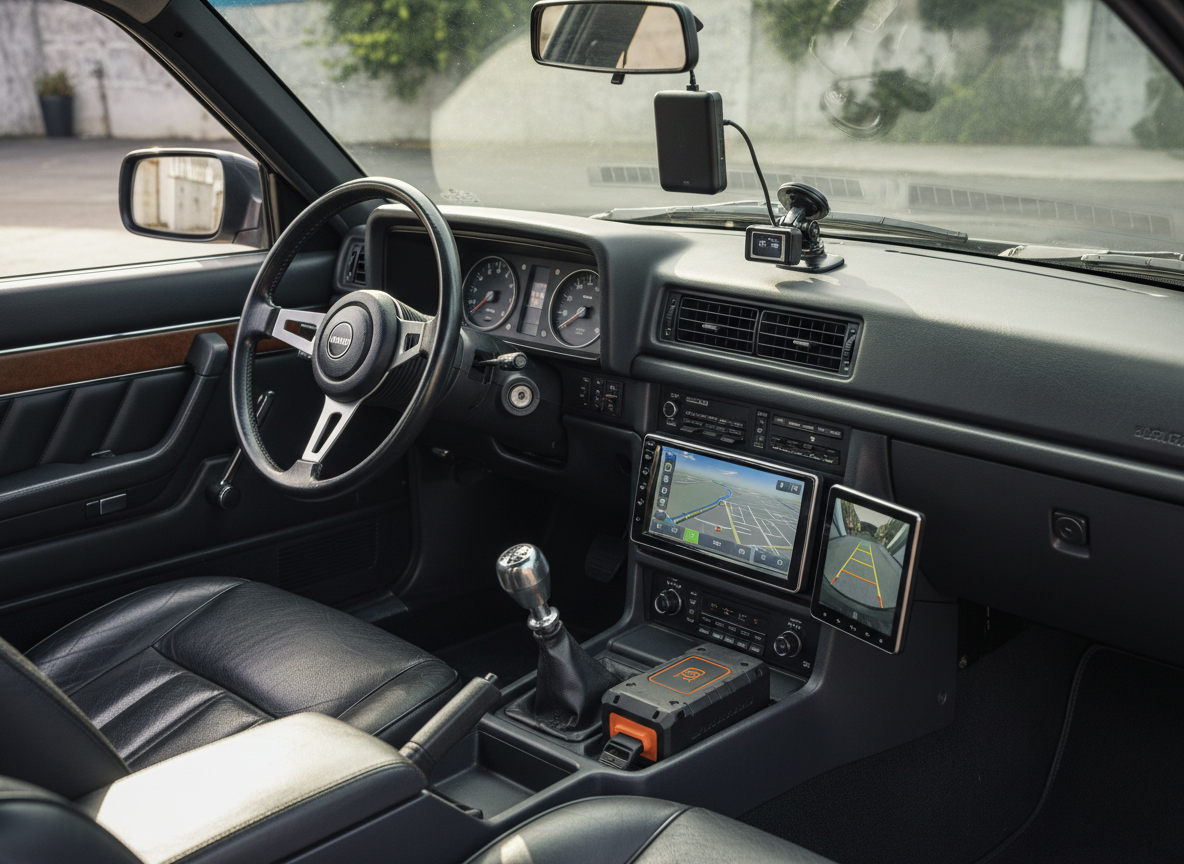
An older car does not always need a new head unit or major electrical work. The right accessory can add convenience, visibility or emergency backup without changing the whole vehicle.
Quick picks
- Best infotainment upgrade: wireless CarPlay adapter if the car already has compatible wired CarPlay
- Best visibility upgrade: backup camera
- Best recording upgrade: dash cam
- Best emergency upgrade: jump starter + inflator
VISUAL UPGRADE PICKS
Four upgrades that can modernize an older car

Wireless CarPlay Adapter
Best for: a compatible car that already has wired CarPlay.
Why buy: modernizes daily phone connectivity without replacing the head unit.
Skip if: the car lacks the required wired system.

Dash Cam
Best for: adding video recording to a car with no factory camera.
Key checks: channels, storage, power and installation.
Why buy: practical evidence-focused upgrade.

Backup Camera
Best for: older cars without a factory rear camera.
Key checks: monitor/input compatibility, power and mounting position.
Main drawback: installation can be more involved than plug-in gadgets.

Portable Jump Starter
Best for: roadside battery backup.
Why buy: useful regardless of how modern the infotainment system is.
Key check: keep it charged and verify vehicle/battery suitability.
1. Wireless CarPlay Adapter
Why buy it: if the car already supports wired CarPlay or Android Auto, a small adapter can remove the cable from your daily routine.
Important: it does not add CarPlay to a car that never had compatible wired support.
2. Backup Camera
Why buy it: adding a rear camera can make parking and reversing easier on vehicles that lack factory camera systems.
Compare universal and vehicle-specific options in our backup camera guide.
3. Dash Cam
Why buy it: a dash cam adds a video record of road events without requiring a major vehicle upgrade.
See our dash cam comparison.
4. Jump Starter + Tire Inflator

Why buy it: older vehicles can benefit from a compact roadside kit that covers battery and tire issues.
FAQ
What is the easiest upgrade for an older car?
That depends on the problem. A dash cam is easy to justify for recording, a backup camera improves reversing visibility, and a compatible CarPlay adapter improves daily phone connectivity.
Should I replace the head unit instead?
Only if the accessories you want cannot work with the existing system. A full head-unit replacement is a different level of cost and installation.
Related: Wireless CarPlay Adapter vs AI Box.
Upgrade the weakness, not the age of the car
An older car does not need every modern gadget. Start with the limitation that actually bothers you: navigation, phone connectivity, reversing visibility, charging, tire monitoring or roadside reliability. A focused upgrade is usually cheaper and easier to live with than filling the cabin with accessories that duplicate functions.
| Problem | Useful upgrade | Check first |
|---|---|---|
| No wireless phone projection | Wireless adapter if wired CarPlay already exists | Factory compatibility |
| No modern infotainment | Portable display or head-unit upgrade | Power, audio path and mounting |
| Poor rear visibility | Backup camera | Display compatibility and installation route |
| Limited charging | USB charger | Device protocol and vehicle socket/circuit |
| Roadside battery concern | Jump starter | Engine/vehicle suitability and storage limits |
Three compatibility traps
- Assuming every adapter adds a missing factory feature. Many wireless CarPlay adapters need wired CarPlay already present.
- Ignoring power and audio routing. Portable displays and cameras may need more installation planning than the product photo suggests.
- Buying vehicle-specific electronics without checking model year and trim. Connectors and factory systems can differ within the same model line.
Best upgrade order for most drivers
- Safety and visibility problems first.
- Reliable charging and phone integration second.
- Roadside gear third.
- Convenience gadgets only after the essentials work well.
FAQ
Is it worth adding modern tech to an older car?
It can be, especially when a low-cost upgrade solves a daily problem without requiring major modification. Compatibility and installation cost decide the real value.
What should I avoid?
Avoid modifications that obstruct visibility, interfere with airbags or controls, overload circuits, or require wiring work beyond your competence.
Related: wireless CarPlay buying guide and backup cameras.